投稿

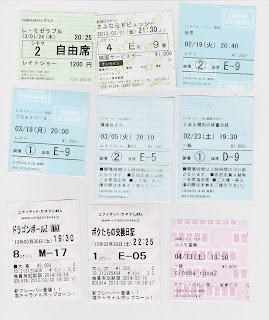
映画の半券

イメージ

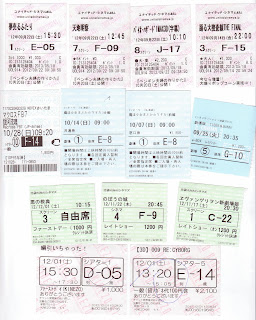
映画の半券

イメージ

映画の半券

イメージ

映画の半券

イメージ

Rails Devise認証のカスタマイズメモ

Deviseのデフォルトの認証ではDBに保存されているemail, passwordの項目で認証を行なっている。 例えば、DBにemail, passwordを別で認証する場合、カスタマイズが必要となる。 そのカスタマイズ方法を調査した内容を以下に記す。 ※omniauthを使った外部サイトで認証・callbackではないです。 バージョン情報  Rails 3.2.6  Devise 2.1.2 例  ・usersテーブルにログインユーザの情報を保持。  ・パスワードはDBに保持していない。(ここでは 'password' 固定) 1.認証処理の追加  Deviseでは認証処理はstrategyとして作成されている。  認証方法をカスタマイズするにはstrategyを新たに作成する。 ※以下の内容はDeviseのstrategy(database_authenticatable)を参考に、パスワード判定のみ変 更。 ・config/initializers/devise_strategies.rb require 'devise/strategies/authenticatable' module Devise module Strategies class CustomAuthenticatable < Authenticatable def authenticate! resource = valid_password? && mapping.to.find_for_database_authentication(authentication_hash) return fail(:invalid) unless resource if validate(resource){ password == 'password' } resource.after_database_authentication success!(resource) end end end end end Warden::Strategies....

映画の半券

イメージ
最近はヱヴァを観に来てる人が多い...

twitter-bootstrap-railsをサブディレクトリで動かす

twitter-bootstrap-railsをサブディレクトリで動かすとアイコンの読み込み先にサブディレクトリが含まれないので、やったことのメモ。 app/assets/stylesheets/bootstrap_overrides.css.lessのリネーム bootstrap_overrides.css.less を bootstrap_overrides.css.less .erb にリネーム bootstrap_overrides.css.less.erbを更新 @import "twitter/bootstrap/responsive"; // Set the correct sprite paths @iconSpriteAssetPath: asset-path('/twitter/bootstrap/glyphicons-halflings.png'); @iconSpritePath: `"<%= ActionController::Base.config.relative_url_root %>" + @{iconSpriteAssetPath}.replace('"', '')`; @iconWhiteSpriteAssetPath: asset-path('/twitter/bootstrap/glyphicons-halflings-white.png'); @iconWhiteSpritePath: `"<%= ActionController::Base.config.relative_url_root %>" + @{iconWhiteSpriteAssetPath}.replace('"', '')`; // Set the Font Awesome (Font Awesome is default. You can disable by commenting below lines) // Note: If you use asset_path() here, your compiled b...